
A web scraping API is a managed service that fetches web pages and hands back clean, usable data, so your team never has to babysit scrapers, proxy pools, or browser infrastructure. Imagine hiring a delivery fleet for web data: you specify the destination, and the service takes care of the messy transport work.
Understand What a Web Scraping API Handles
A standard HTTP request does the job when a page is static, public, and lightly defended. But plenty of modern sites load content with JavaScript, vary responses by region, or deliberately slow automated traffic. A managed API deals with all of those headaches before the result ever reaches your application.
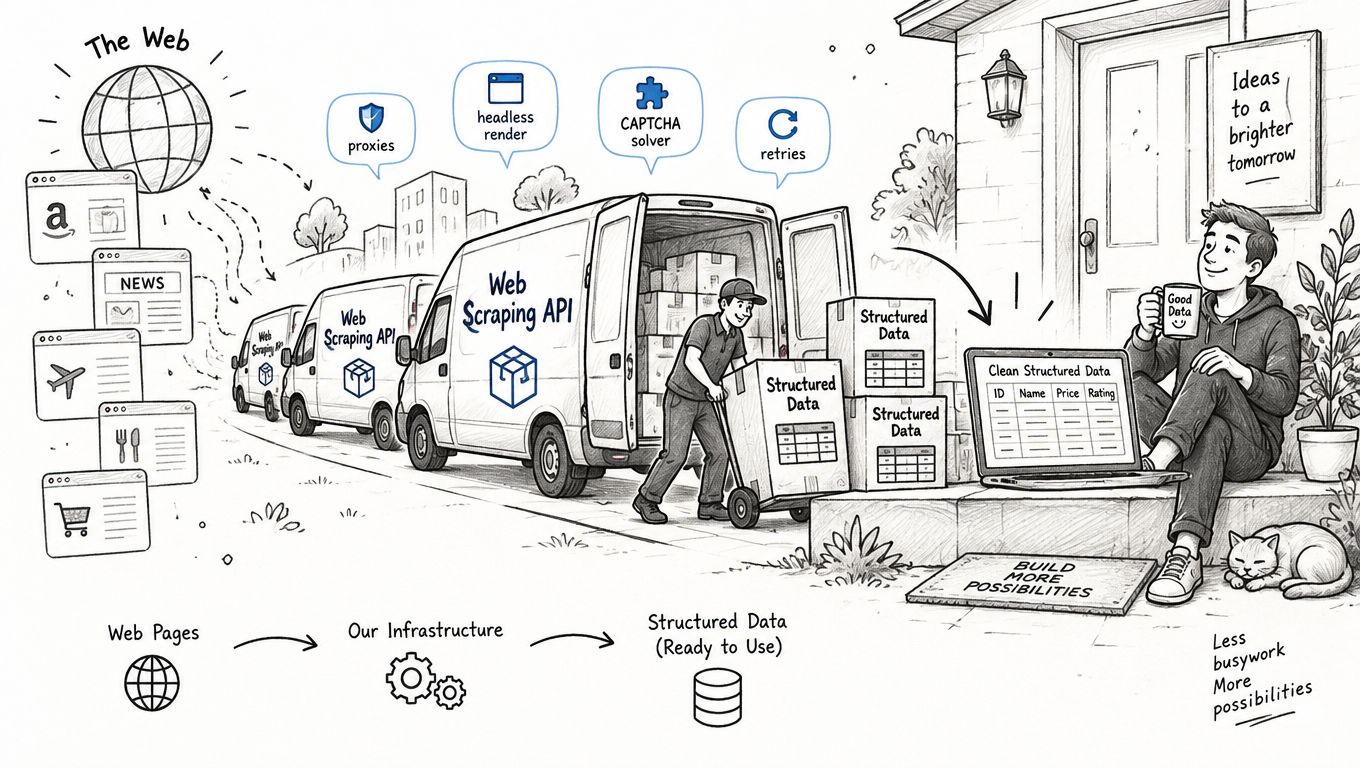
In practice, the service typically takes over several heavy lifting tasks:
- Fetching and rendering pages, including content that only shows up after JavaScript executes.
- Proxy rotation, routing requests through datacenter or residential IPs when a target starts throttling repeat visitors.
- Retries and backoff, so a temporary hiccup doesn't instantly become a missing record.
- Browser interactions, like waiting for specific elements to appear, clicking through pagination, or snapping screenshots.
- Output formatting, giving you Markdown, raw HTML, extracted links, screenshots, or structured JSON instead of a blob of unparsed code.
Your application still owns the business logic, though. You decide which URLs to hit, which fields actually matter, how fresh the data needs to be, and where the cleaned records should land.
A web scraping API strips away infrastructure work, not product responsibility. You still need well-defined schemas, validation, storage, and source-specific extraction rules.
Manual Scripting vs Managed API at a Glance
Building scrapers in-house gives you full control, but it also means owning every moving part. A managed API flips that equation: you trade some flexibility for speed and reduced maintenance. Here is a side-by-side snapshot to help you see where the trade-offs land.
| Feature | Custom Scripting | Managed API |
|---|---|---|
| Page fetching | Your servers and code | Provider infrastructure |
| Proxies | Buy, rotate, and monitor them | Usually built in |
| JavaScript pages | Maintain browser workers | Often handled remotely |
| Failures | Build retry logic | Commonly managed for you |
| Data structure | Write parsers yourself | Request supported formats |
| Maintenance | Your team owns every change | Provider handles platform issues |
For an AI founder, this distinction cuts deep because engineering hours are your scarcest resource. A custom scraper might look cheap when you're pulling from one predictable page, but the bill climbs fast once layouts shift, traffic gets blocked, or you need to support multiple regions and browser states.
A managed endpoint plugs into your workflow just like any other external service. Your enrichment pipeline, for instance, could submit a company URL, receive clean Markdown back, extract the fields you care about with your model, validate the output, and write it to your database. No infrastructure wrangling required.
Stick with a simple script when a static page responds to a single respectful request. Reach for a web scraping API when browser rendering, scale, reliability, or proxy management would otherwise pull your small team away from actually shipping the product.
A web scraping API operates like a managed dispatch center. Your application sends a URL and instructions, and the service handles the heavy lifting — fetching, rendering, retrying, and formatting the result. Modern platforms can return Markdown, HTML, links, screenshots, or structured JSON from a single request. Firecrawl breaks down the possibilities in their guide to scrape endpoints.
Follow the Request-Response Loop
The basic sequence is straightforward:
- Your application calls an authenticated endpoint with a target URL.
- The API selects a worker, proxy, and browser mode.
- The worker requests the page and waits for required content.
- The service cleans or extracts the response.
- Your application receives data plus metadata such as status, title, and source URL.
A simple response might include status_code, content_type, cache_state, and credits_used, alongside the requested content. That separation matters because your parser can process the data while monitoring reliability and spend.
The endpoint hides transport complexity, but it cannot decide which fields your product needs. Define your schema and validation rules in application code.
See What Happens When Pages Resist
Static pages may work through a normal HTTP client. JavaScript-heavy pages require a headless browser, which loads scripts and waits for elements that appear after the initial response. Browser actions can also click, type, scroll, or wait before capturing the final state, according to Firecrawl's documented workflow.
Traffic management adds another layer. Datacenter proxies are generally fast and economical, while residential proxies resemble ordinary household connections and may work better against stricter defenses. A provider can rotate locations and sessions, but excessive parallel requests can still trigger throttling.
The API also shapes request fingerprints through headers, browser settings, cookies, and related signals. This is not a guarantee of access, and it should never mean bypassing authentication or access controls.
Manage Limits, Retries, and Concurrency
Production scraping depends on queues rather than blind repetition. If a target returns a 429, timeout, or soft block, the worker can place the job back in a queue, wait with exponential backoff, and try an approved route again.
Your plan usually controls three related limits:
- Rate limits cap requests over a time window.
- Concurrency limits cap active jobs at once.
- Request budgets limit monthly or daily consumption.
For example, a startup monitoring 500 product pages every morning might use a queue with ten concurrent workers, retry transient failures twice, and save unsuccessful URLs for review. That approach protects both your budget and the source site.
| Component | Main Job | What You Should Monitor |
|---|---|---|
| Endpoint | Accepts URLs and options | Authentication and schema |
| Proxy layer | Routes requests | Success rate and geography |
| Browser worker | Renders dynamic pages | Latency and resource use |
| Queue | Controls retries | Backoff and failure reasons |
| Formatter | Produces usable output | Missing fields and drift |
Finally, test each target with static and rendered modes before scaling. Compare success rate, response latency, extracted fields, and duplicate content. A vendor that exposes these signals gives your team a practical debugging path instead of a mysterious "request failed" message.
A web scraping API becomes genuinely useful when your small team needs fresh public-web data but doesn't have the bandwidth to juggle browsers, parsers, proxy pools, and retry systems all on your own. The smartest first step isn't "scrape everything"—it's pinpointing the exact workflow where missing data is already slowing down your product decisions.
Compare Product Pricing
Competitive pricing is the most natural place to start. Think of it this way: you feed product URLs into the service, it pulls back rendered content, and you extract price, currency, availability, plan limits, and promotion details. Then you store all of that as clean, normalized records in your database.
How often you refresh really depends on what you're tracking. Daily checks work fine for stable B2B pricing, whereas hourly refreshes make a lot more sense for fast-moving retail products. Accuracy matters more than you might think—a missing currency symbol or a crossed-out sale price that you missed can turn your comparison dashboard into a source of bad decisions.
Here's a concrete example: a competitor-tracker dashboard might run a scheduled batch every morning, flag only the meaningful changes, and push those diffs straight to a Slack channel. No noise, just signal. You can see this pattern in action with our competitor tracker project.
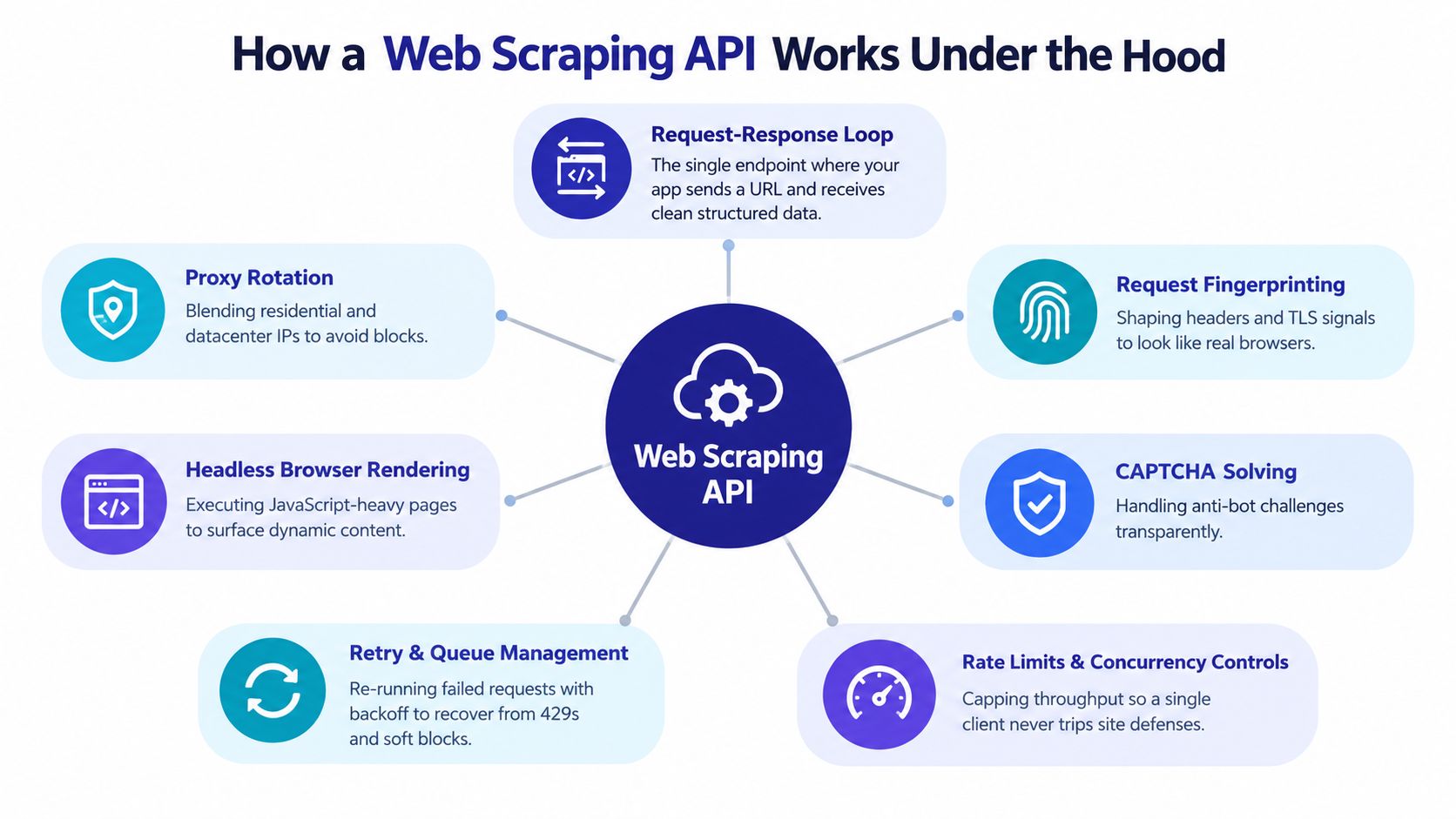
This infographic shows how endpoints, proxies, browser rendering, retries, and traffic controls all fit together inside a scraping API. The takeaway? One deceptively simple request on your end can conceal several operational layers under the hood. But even with all that infrastructure doing the heavy lifting, your application is still responsible for validation and business rules.
Monitor Search Visibility
SEO teams lean on scraping APIs to track search results across keywords, countries, devices, and languages. The output typically includes rankings, titles, snippets, featured results, and which competitors are showing up alongside you.
SERP monitoring generally works better as a scheduled task rather than something you poll continuously. A weekly report might be plenty for a content team, while a product team tracking major launches probably wants to check daily.
Here's what a practical pipeline looks like:
- Store your target keywords and locations.
- Request results with a consistent schema.
- Compare current rankings against previous snapshots.
- Trigger alerts when movement crosses your threshold.
- Push summaries to your SEO dashboard.
Search pages change constantly, so hold onto raw responses, timestamps, and parser-version metadata alongside your normalized data. Future you will thank present you when something breaks and you need to debug.
Enrich Leads and Research Markets
Sales and research teams can use a scraping API to gather public company descriptions, industries, locations, technologies, hiring signals, and contact-page details. The API delivers the raw page content, and your application maps it into your CRM fields with appropriate confidence checks.
Market analysts often take a different angle, pulling together catalogs, reviews, documentation, or public announcements. For this kind of work, clean structure matters more than split-second freshness. A nightly or weekly batch usually does the job—as long as you've got duplicate detection and source attribution wired in from the start.
One important habit: never treat extracted text as verified truth. Always store the source URL, capture time, and evidence snippet so that a teammate—or your model—can review questionable fields later.
Watch Brands and Content
Marketing teams monitor competitor announcements, product pages, editorial mentions, and brand changes. Lightweight pages might only need HTML or Markdown extraction, but JavaScript-heavy sites will require full browser rendering.
Before you pick a provider, run each workflow through a quick classification:
- Refresh rate, from on-demand to scheduled.
- Required fields, from raw text to schema-locked JSON.
- Page difficulty, accounting for scripts, pagination, and regional variants.
- Destination, whether that's a data warehouse, CRM, alerting system, or AI pipeline.
The best approach is to start with one measurable workflow, define what an acceptable success rate looks like, and pilot a small URL set. If the data you're getting saves more engineering time or revenue than the service costs, expand carefully. If it doesn't, a simple official API or even an occasional manual export might be the smarter move.
Think of a practical web scraping API less like receiving a truckload of lumber and drywall, and more like opening a box of pre-cut, pre-measured components. You're not handed raw HTML to scrub and structure yourself. Context.dev calls itself a Web Context API: it returns rendered pages, Markdown, images, sitemaps, screenshots, and company metadata right out of the box.
That's a real advantage when your AI product needs web context but you don't want to bolt on yet another parsing service. A RAG pipeline can drop in clean Markdown without preprocessing. An onboarding flow can auto-enrich a company profile. A personalization feature can pull logos, color palettes, fonts, social links, addresses, or tight descriptive summaries, all from a single call.
The screenshot below shows the Context.dev interface and its focus on ready-to-use web data.
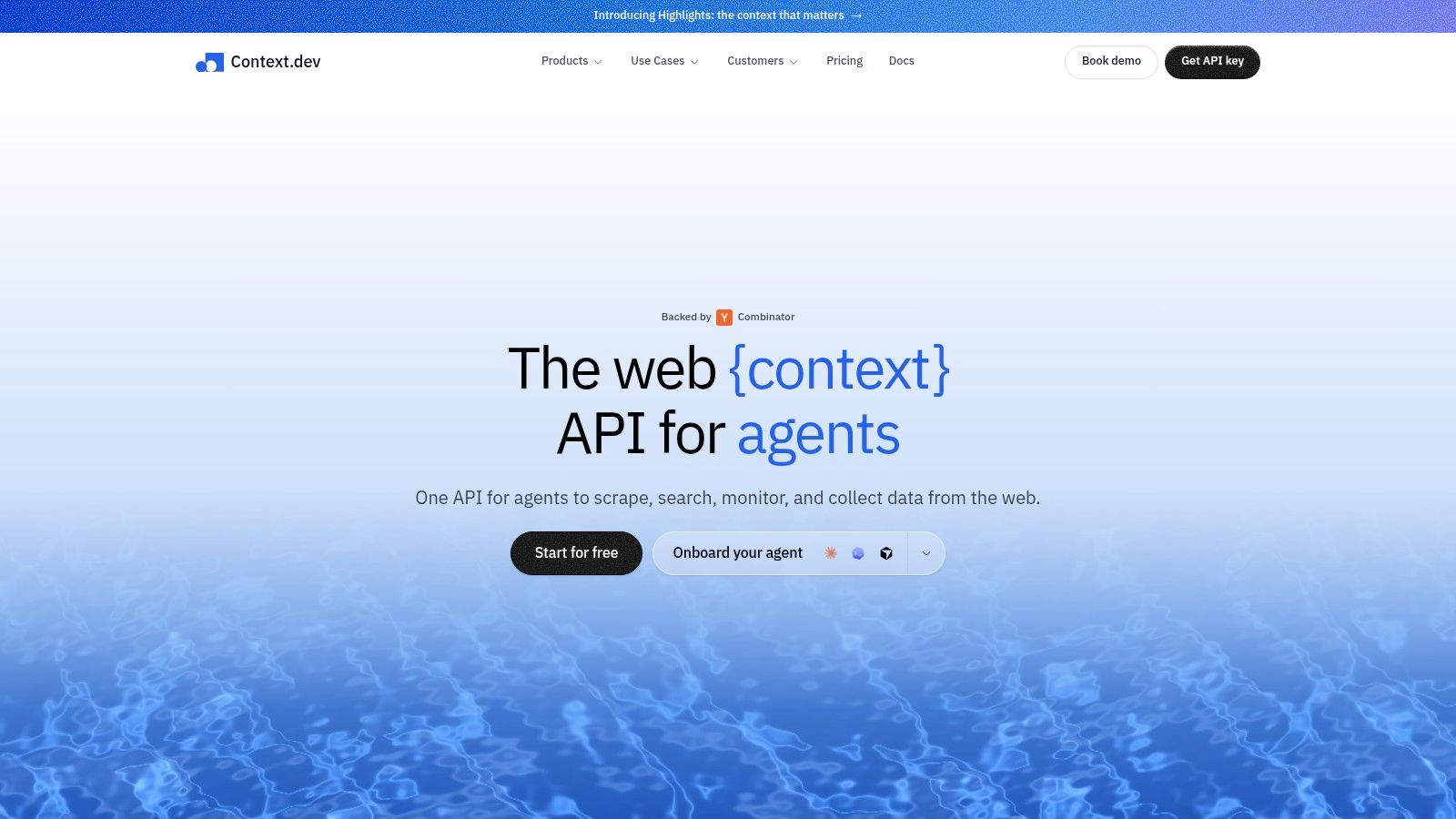
That interface illustrates a broader production rule worth internalizing: one well-chosen integration point can replace a handful of single-purpose tools when the output is already shaped for the work that comes next.
Match the Output to the Actual Workflow
Context.dev goes beyond simple page capture. The feature set includes:
- Rendered HTML and LLM-ready Markdown, built for research, agents, and knowledge bases.
- Image extraction, sitemap crawling, and full-page screenshots, handy for audits and content review pipelines.
- Brand metadata: logos, colors, fonts, styleguides, social profiles, and company classifications.
- AI Query, which pulls custom entities or product fields out of messy, unstructured pages.
- Transaction identification, mapping raw merchant descriptions to recognizable brands.
For an early-stage team, that breadth matters more than it might look on a feature comparison sheet. Infrastructure choices compound fast, and pulling five different utilities for five different data shapes creates five different failure modes.
A free tier plus SDKs for TypeScript, Python, and Ruby make a small pilot almost frictionless. On the production side, global CDN delivery and built-in caching with automatic quarterly refreshes handle recurring asset requests without re-scraping every time.
The test that actually tells you something is narrow and concrete: pick one onboarding or enrichment workflow, list out the fields you need, then compare accuracy, latency, freshness, and how failures are handled against what you're doing now. If the structured response eliminates a recurring cleanup step you've been doing manually, Context.dev becomes a useful benchmark for evaluating any other web scraping api.
A web scraping API pulls public web data, but public doesn't mean unrestricted. Before you fire off your first request, treat every source like property with its own access rules, content rights, and privacy obligations. There's no gray area here—if you wouldn't do it manually at scale, don't automate it.
Start with the site's robots.txt file. It's not a legal contract, but it's a clear signal about which paths the publisher wants crawlers to avoid. Respecting it, throttling your request frequency, and identifying your bot honestly gives you a solid baseline. Most providers enforce this through their terms anyway, so you're saving yourself headaches down the road.
Next, actually read the terms of service. They'll tell you whether automated collection, commercial reuse, or redistribution is allowed. If the site offers an official API, use that instead—its documentation spells out what's permitted and what gets your key revoked.
The safest approach is simple: collect only what you need, from pages you're allowed to access, at a pace that doesn't burden the source.
Protecting Personal Data
Privacy adds another layer of responsibility entirely. Names, email addresses, phone numbers, precise locations, behavioral records, and identifiers can fall under GDPR or the California Consumer Privacy Act depending on who's involved and where you operate. The rules change based on the data subject's location, not just yours.
For early-stage AI teams, resist the urge to grab personal information just because a page exposes it. Define your purpose first, minimize the fields you collect, document retention periods, and restrict access internally. If your product doesn't need someone's email address, don't store it "just in case." That mindset creates liability without adding value.
Before adding any new source domain, run it through a quick review:
- Confirm the page is publicly accessible without bypassing authentication.
- Check terms, robots guidance, copyright notices, and whether an official API exists.
- Classify every field as public, personal, sensitive, or copyrighted.
- Document your purpose, retention period, and deletion process.
- Test a small sample with conservative rate limits before scaling.
Avoiding Risky Collection Patterns
Some patterns create unnecessary exposure. Skip gated articles, private dashboards, paywalled content, and anything behind login walls unless you have explicit written permission. Don't attempt to defeat access controls, mask your bot's identity deceptively, or keep hammering a server after it returns a 429 rate-limit response. That behavior is what gets IP ranges permanently banned.
Copyright matters even after you've collected the data. Storing a factual price or stock availability field is one thing. Republishing an entire article, product description, image library, or review corpus is entirely different. Keep source URLs and timestamps for provenance, use direct quotations sparingly, and only transform data where your rights and purpose actually support it.
If a content owner sends a takedown request, respond promptly while reviewing the underlying claim. Pause scraping from that source immediately, preserve relevant records, and remove material if your legal basis is unclear. The cost of reacting quickly is always lower than ignoring it.
Assign one person ownership of your source register and incident process. Revisit the rules whenever your use case, geography, data fields, or audience shifts. A short compliance checklist completed before launch is infinitely cheaper than rebuilding a product after a complaint lands.
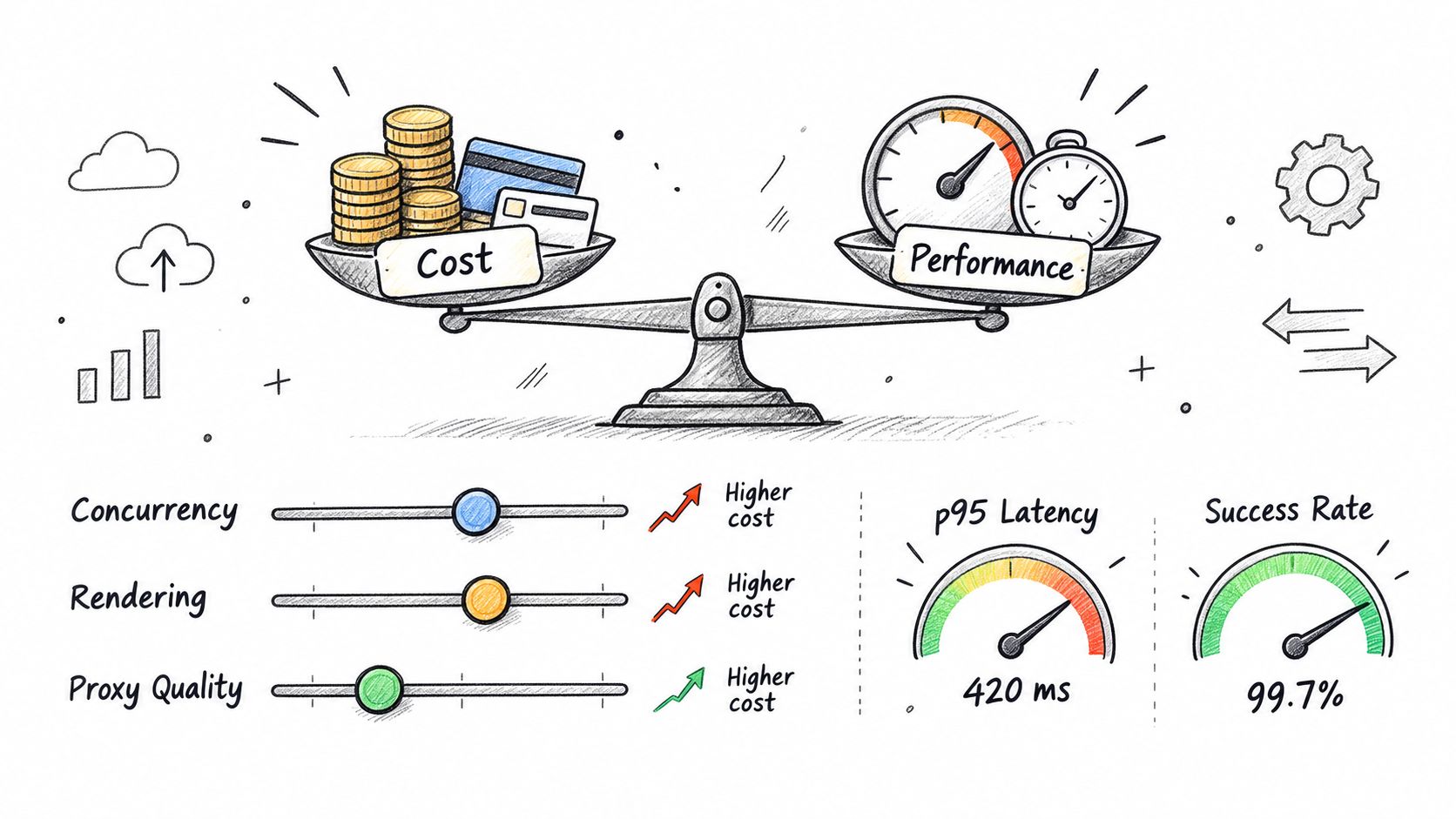
A web scraping API looks cheap on paper. Then your workflow adds JavaScript rendering, retries, geographic targeting, and concurrency, and the math changes fast. The real question isn't "What's the price per request?" It's "What does one clean, usable record actually cost me after failed attempts and post-processing?"
Compare Pricing Models
Most providers charge per request, by subscription tier, or through credits. A straightforward scrape might burn one credit, but schema-based JSON extraction can tack on four more — Firecrawl documents this clearly in their scrape endpoint guide. Lower latency doesn't always mean lower cost either. A cached result might return in milliseconds but still count the same against your quota.
| Pricing Model | Best Fit | Main Risk |
|---|---|---|
| Per request | Small, irregular workloads | Costs scale linearly with volume |
| Subscription | Predictable recurring jobs | You pay for unused capacity |
| Credit based | Mixed formats and features | Rendering and extraction rules eat credits fast |
JavaScript rendering is where budgets quietly bleed. A static product listing costs next to nothing. A page that needs a full browser engine? That chews up time, compute, and often extra credits. And proxy quality matters more than people think — a failed request still eats your engineering time and might still count against your plan.
Your effective cost is the price of successful records, not the advertised price of submitted requests.
Estimate Monthly Demand
Start with three numbers: how many pages you're targeting, how often they refresh, and how many attempts each successful pull takes.
- Multiply pages by refreshes per month.
- Add a cushion for timeouts, blocks, and layout breakages.
- Break static, rendered, and structured extraction into separate buckets.
- Price each bucket at your provider's rate.
- Don't forget storage, parsing, and monitoring.
Say you're pulling 2,000 pages weekly. That's roughly 8,000 page jobs per month. If your success rate averages 1.2 attempts per clean record, you're looking at around 9,600 requests — before browser rendering or JSON extraction enters the picture.
Concurrency is a speed lever, not a savings tool. Ten workers blast through a batch faster, but hammering one domain at full tilt gets you throttled. Use queues, pace per domain, implement exponential backoff, and set a ceiling your pilot data actually supports.
Watch Performance Signals
Once you're running at volume, average response time doesn't tell you much. p95 latency shows what the slow end of your users actually experience. Success rate tells you whether your proxy and rendering setup is holding together. Time to first byte matters especially for rendered pages — a long gap before content starts flowing usually means your browser, proxy location, or the target site itself is the bottleneck.
Track these per domain and per request mode:
- Success rate, broken down by status code and failure reason.
- p95 and p99 latency, not just the mean.
- Rendered-page time to first byte and total render time.
- Credits per accepted record, factoring in retries.
- Data freshness, from capture time to delivery.
Cache aggressively when your use case allows it, and ask for only the output format you need. Markdown feeds a RAG pipeline well. Schema-locked JSON suits a database import. Before locking in a provider, read through this guide to proxy infrastructure and quality — it covers the gaps most comparisons miss.
At 10x volume, don't just add workers. Revisit the architecture. Batch jobs, domain-specific schedules, deduplication, and stored snapshots protect both uptime and your runway. A good provider surfaces these metrics transparently before you commit to a bigger plan.
Choosing a web scraping API should feel more like testing a delivery service than admiring a feature list. Give each provider the same small set of URLs, compare the parcels that arrive, and record what it costs to receive usable data.
Start with the requirements that protect production work:
- Uptime and incident history, not just a marketing percentage.
- Rendering quality on JavaScript-heavy pages.
- Proxy coverage for the countries and languages you actually need.
- Clear documentation, working examples, and maintained SDKs.
- Compliance guidance covering privacy, retention, acceptable sources, and takedown requests.
A provider should show sample requests and complete sample responses. For structured extraction, ask whether schemas lock field names and types, or whether prompt-only output can drift between runs. That distinction matters when records flow directly into an AI pipeline or CRM.
A successful request is not the same as a successful record. Measure missing fields, stale content, incorrect values, latency, and credits used.
Test Before You Commit
Run a short pilot with static pages, rendered pages, regional variants, and one failure-prone URL. Request the formats your product needs, then compare the results against a manually checked reference set.
Useful nice-to-haves include webhooks for asynchronous jobs, browser extensions for quick testing, per-domain settings, caching controls, batch endpoints, and export options. They should influence the final choice only after the core workflow works reliably.
Read also about SERP API options for search monitoring if ranking data is part of your roadmap.
Walk away when a vendor makes claims without definitions. "High success rate" means little unless you can see the tested domains, rendering mode, geography, retry behavior, and time period behind it. Other warning signs include:
- No sample output or sandbox access.
- Pricing that makes sense only at enterprise volume.
- Unclear charges for rendering, extraction, retries, or proxies.
- No status page, support path, or data-retention explanation.
- Contracts that restrict your intended public-data use without offering practical guidance.
Use a Simple Decision Matrix
Score providers from one to five, using the same evidence for each candidate.
| Criterion | Weight | Provider Score |
|---|---|---|
| Target-page success rate | 30% | 1–5 |
| Data accuracy and completeness | 25% | 1–5 |
| Total cost per usable record | 20% | 1–5 |
| Documentation and SDK quality | 10% | 1–5 |
| Compliance and support | 10% | 1–5 |
| Scaling features | 5% | 1–5 |
For an early-stage team, prefer the provider that wins on usable output and predictable economics, not the one with the longest feature page. Keep your first contract small, set spend alerts, store raw responses and timestamps, and review performance after a real production week.
Watch the video below for another practical view of scraping API workflows.
Once a provider passes the pilot, document your approved domains, fields, refresh schedule, retention rules, and fallback plan. Then launch one measurable workflow, such as competitor price alerts or SERP tracking, before expanding across your product.
How Hard Is Integration
A web scraping API slots into your existing stack like any other authenticated HTTP service. You send a URL, pick an output format like Markdown or JSON, and store the response along with its status and source metadata.
For instance, your pipeline can validate returned fields before writing anything to a CRM, data warehouse, or RAG index. Start with a single workflow and a small set of URLs before layering in batch jobs or browser interactions.
How Fresh Can the Data Be
On-demand requests pull the current version of a page, while scheduled batches make more sense for price checks, SERP monitoring, and content audits. Caching helps cut latency and reduces load on the source, though cached results may still eat into credits, as outlined in this scraping endpoint guide.
Pick freshness based on the actual business need, not habit. If weekly data supports the decision, hourly checks are just wasted spend.
What If a Layout Changes
A layout shift can leave a request technically successful while the fields you care about quietly vanish. Store raw content, timestamps, validation errors, and parser versions so your team can spot drift instead of trusting an empty record.
Schema-locked extraction helps when downstream code expects fixed field names and types. Keeping a small reference set of manually checked pages also makes regression testing realistic rather than theoretical.
How Do Authentication and Cookies Work
Public pages only need standard API authentication, usually an API key or token from your provider. Cookies, login flows, and persistent browser sessions require explicit authorization from the site itself and support from the provider.
Never use an API to bypass access controls. For permitted workflows, confirm whether the service supports custom headers, cookies, browser actions, or saved profiles before you build anything.
Can Results Be Geo Targeted
Some providers accept country and language parameters, which lets you pull regional search results, localized pricing, or market-specific pages. Test each target market separately because availability, markup, and currency can vary more than you'd expect.
Before committing to a provider, compare success rate, freshness, compliance guidance, rendering quality, and cost per usable record, not just the per-request price. Pilot your highest-value workflow first, then expand only once the output holds up under validation.